


Wi-Fi, Zigbee, and Z-Wave are the three dominant protocols in home automation. They work differently at a technical level, serve different use cases well, and have real trade-offs that affect everyday reliability. Understanding them doesn't require a networking background – just a clear comparison of what each one actually does in a home environment.
The Core Difference: How Each Protocol Communicates
Before the pros and cons, it helps to understand the fundamental architecture of each protocol – because that architecture is what drives most of the practical differences.
Wi-Fi devices connect directly to your home's existing wireless router, the same way your laptop and phone do. Each device is an independent node on your network. This means no additional hub is required and setup is typically straightforward – connect the device to your Wi-Fi network through its app and it's ready. The trade-off is that every device adds load to your router, and Wi-Fi is a bandwidth-heavy protocol designed for high-data applications, not the tiny status updates that smart home devices typically send.
Zigbee devices don't connect to your Wi-Fi router at all. They form their own separate wireless mesh network, where devices communicate with each other as well as with a central hub. When you turn on a Zigbee light switch, the signal may travel through two or three nearby Zigbee devices to reach the hub – each device acting as a relay. This mesh architecture makes Zigbee networks more resilient and better at covering large areas than Wi-Fi, because the network literally extends itself as you add more devices. A Zigbee hub (often called a coordinator) is required – it connects to your router via ethernet and acts as the bridge between the Zigbee mesh and your home network.
Z-Wave works similarly to Zigbee – it forms a mesh network through devices, requires a separate hub, and is designed specifically for smart home communication rather than high-bandwidth data transfer. The key technical difference from Zigbee is that Z-Wave operates on a different radio frequency (around 908 MHz in North America versus Zigbee's 2.4 GHz), which gives it better wall penetration and less interference from the crowded 2.4 GHz spectrum that Wi-Fi and Zigbee both share. Z-Wave also has a certification program that requires devices to pass interoperability testing, which generally means better cross-brand compatibility within the Z-Wave ecosystem than Zigbee offers.
Wi-Fi: The Easiest Start, With Real Limits at Scale
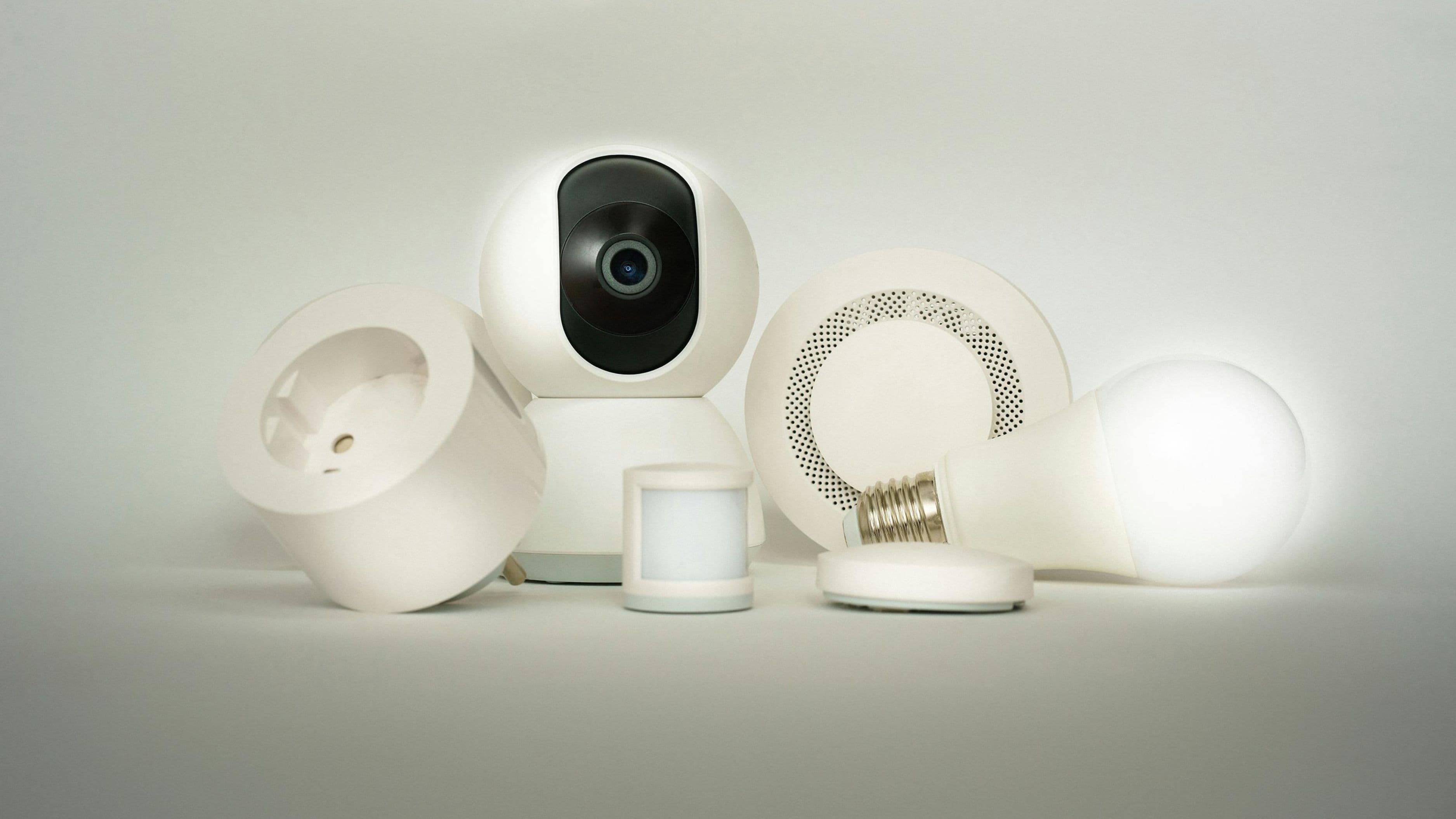
Wi-Fi smart home devices are the most familiar and the easiest to get started with. Products like smart plugs, video doorbells, security cameras, and many smart bulbs connect directly to your existing network with no additional hardware required. You download the app, connect to Wi-Fi, and you're done. For a small number of devices – say, ten or fewer – this works reliably and simply.
The problems emerge as device count grows. Home routers have practical limits on how many simultaneous connections they can handle well, and smart home devices – though individually low-bandwidth – all maintain persistent connections. In a home with 30 or 40 smart devices, a consumer-grade router starts to struggle, leading to dropped connections, delayed responses, and devices that occasionally go offline. Upgrading to a mesh Wi-Fi system (like Eero or Google Nest WiFi) helps significantly, but it's an additional cost and doesn't fully solve the scalability problem.
Battery-powered Wi-Fi devices are also notably power-hungry compared to Zigbee or Z-Wave equivalents. Maintaining a Wi-Fi connection draws significantly more power than the lower-frequency protocols, which is why most Wi-Fi smart home sensors and locks have shorter battery life than their Zigbee or Z-Wave counterparts.
The other meaningful limitation is cloud dependency. Most Wi-Fi smart home devices are designed around a manufacturer's cloud service. When that cloud service has an outage – or when the manufacturer discontinues it – the devices stop working or lose functionality. This has happened repeatedly with consumer smart home brands, and it's a real long-term reliability concern for Wi-Fi-dependent setups.
Best suited for: Renters or homeowners adding a small number of smart devices without committing to a hub-based ecosystem. Video doorbells, security cameras, and smart speakers work well as Wi-Fi devices regardless of ecosystem size, because these are high-bandwidth use cases that Wi-Fi is genuinely designed for.
Cost implications: No hub required, so lower upfront cost. Device prices are competitive across the board. Budget for router upgrades ($100–$300 for a quality mesh system) if you're planning to scale beyond 15–20 devices.
Limitations: Router congestion at scale, shorter battery life for battery-powered devices, cloud dependency, and potential device abandonment if manufacturers discontinue cloud services.
Zigbee: The Workhorse for Large Smart Home Setups
Zigbee is the most widely used mesh protocol in consumer smart home products, and for good reason. Its mesh architecture means the network grows stronger as you add devices – each mains-powered Zigbee device acts as a signal repeater, extending the network's range and redundancy. A Zigbee network with 20 devices is genuinely more robust than one with 5, which is the opposite of how Wi-Fi behaves under load.
Zigbee devices are also significantly more power-efficient than Wi-Fi, which matters for battery-powered sensors, door and window contacts, and motion detectors. A Zigbee door sensor might run for a year or two on a pair of AAA batteries. The equivalent Wi-Fi sensor might run for a few months. For a home with many battery-powered devices, this difference in maintenance burden is real and adds up.
The major practical limitation of Zigbee is hub dependency and ecosystem fragmentation. You need a Zigbee coordinator (hub) to run a Zigbee network, and while many hubs from different manufacturers technically support Zigbee, they don't always implement it in compatible ways. A Zigbee hub from Samsung SmartThings may pair with most Zigbee devices, but occasionally a specific device from a specific manufacturer won't pair correctly due to implementation differences in the Zigbee standard. This has improved with time and with Home Assistant's Zigbee integration (ZHA), but it remains a real-world friction point.
Popular Zigbee hubs include the Philips Hue Bridge (Zigbee only, Hue-focused), the IKEA Dirigera, the Aeotec SmartThings Hub, and the Sonoff Zigbee 3.0 USB Dongle (for Home Assistant). For a broad, cross-brand Zigbee network, Home Assistant with ZHA or Zigbee2MQTT offers the most compatibility and control.
Best suited for: Homeowners building a medium to large smart home setup with a mix of lights, sensors, and switches. Particularly good for high-device-count lighting systems (Philips Hue, IKEA Tradfri, Sengled) and sensor networks where battery life matters.
Cost implications: Hub required ($30–$120 depending on the platform). Zigbee devices are generally well-priced – Zigbee light bulbs run $10–$30 each, sensors $15–$40. Total hardware cost is competitive with Wi-Fi at scale.
Limitations: Requires a hub, some cross-brand compatibility friction, 2.4 GHz interference potential in dense wireless environments, and a steeper initial setup compared to Wi-Fi plug-and-play.
Z-Wave: The Most Reliable Option for Critical Devices
Z-Wave is the premium option in the smart home protocol space – more expensive than Zigbee, but with better cross-brand compatibility guarantees and better wall penetration due to its sub-GHz operating frequency. The Z-Wave Alliance requires devices to pass a certification process before they can carry the Z-Wave logo, which means Z-Wave devices from different manufacturers tend to work together more reliably than Zigbee devices from different brands.
The sub-GHz frequency (908 MHz in North America) is a meaningful practical advantage. Wi-Fi, Bluetooth, microwave ovens, baby monitors, and Zigbee all compete on the 2.4 GHz spectrum. Z-Wave operates on a band that's essentially clear of those competing signals, which translates to more consistent signal behavior in real-world home environments. It also penetrates walls, floors, and ceilings better than 2.4 GHz signals do.
Z-Wave's mesh architecture works the same way as Zigbee's – mains-powered devices act as signal repeaters, and adding devices strengthens the network. Battery life for Z-Wave sensors and locks is similar to Zigbee, significantly better than Wi-Fi.
The significant trade-offs are cost and device variety. Z-Wave devices carry a price premium over comparable Wi-Fi or Zigbee options – a Z-Wave smart lock typically costs $30–$60 more than a Wi-Fi equivalent, and Z-Wave sensors run higher than Zigbee equivalents. The device catalog is also narrower. There are fewer Z-Wave lighting options than Zigbee or Wi-Fi, for example. Z-Wave is particularly strong for door locks, security sensors, and in-wall switches and dimmers – the devices where reliability matters most and where you want the certification guarantee.
Popular Z-Wave hubs include the Aeotec SmartThings Hub, Hubitat Elevation, and Home Assistant with a Z-Wave USB controller. Hubitat is particularly respected for local-first Z-Wave operation with no cloud dependency.
Best suited for: Homeowners who prioritize reliability for security-critical devices (locks, alarm sensors, garage door controllers) and are willing to pay a premium for better cross-brand interoperability. Also the strongest choice for larger homes where signal penetration through multiple walls is a genuine concern.
Cost implications: Hub required ($100–$200 for quality Z-Wave hubs). Device prices run 20–40% higher than comparable Zigbee options. Z-Wave smart locks run $150–$300. In-wall switches run $40–$80 each. This is the highest upfront cost option but also the most durable long-term investment.
Limitations: Higher device and hub cost, narrower device selection than Wi-Fi or Zigbee, maximum network size of 232 devices (sufficient for almost all residential applications).
What About Matter?
Matter is a newer smart home standard that runs on top of existing network infrastructure – including Wi-Fi, Thread (a low-power mesh protocol), and Ethernet – and is designed to allow devices from different ecosystems (Apple, Google, Amazon) to work together without compatibility friction. It's worth knowing about because it's increasingly built into new devices.
Matter doesn't replace Zigbee or Z-Wave – it's a different layer of the stack, focused on cross-ecosystem communication rather than the radio protocol that devices use to talk to each other. Thread, the low-power mesh protocol that Matter uses for battery-powered devices, is technically similar to Zigbee in some ways but is a distinct protocol. Many new devices will support both Matter (for cross-ecosystem compatibility) and Thread or Wi-Fi as the underlying radio protocol.
For existing setups, Matter's impact is gradual – devices need to explicitly support it, and the ecosystem is still maturing. For new buyers, prioritizing Matter-compatible devices where available is sensible future-proofing, but it doesn't change the fundamental choice between Wi-Fi, Zigbee, and Z-Wave for the bulk of current device purchases.
The Recommendation
Start with Wi-Fi if you're adding fewer than 10–15 devices and want the simplest setup with no additional hardware. Cameras, doorbells, and smart speakers are natural Wi-Fi use cases regardless of how large your setup grows.
Move to Zigbee as your primary protocol if you're building a medium to large smart home with lights, sensors, and switches – especially if you're using Home Assistant or want maximum device variety at competitive prices. The mesh architecture handles scale well, and the device catalog is large enough to cover almost any use case.
Add Z-Wave for security-critical devices – locks, alarm sensors, garage controllers – where the certification guarantee and interference resistance justify the price premium. Most serious smart home setups use Zigbee and Z-Wave together, with each protocol handling the use cases it's best suited for.
Mixing protocols isn't a problem if you're using a capable hub. Home Assistant, SmartThings, and Hubitat all support multiple protocols simultaneously, so a setup with Zigbee lights, Z-Wave locks, and Wi-Fi cameras is entirely manageable from a single platform.
Common Mistakes to Avoid
Buying all Wi-Fi devices assuming they'll scale well is the most common path to smart home frustration. What works for five devices often starts struggling at twenty.
Choosing a hub that only supports one protocol limits your flexibility unnecessarily. Hubs that support both Zigbee and Z-Wave (like SmartThings or Hubitat) give you the option to add devices in either ecosystem as needs change.
Ignoring cloud dependency until a service shuts down is a risk that catches many Wi-Fi smart home users off guard. Where local control matters to you, prioritize devices and hubs that support it explicitly.
Buying cheap, unbranded Zigbee devices to save money often creates pairing headaches and firmware issues. Stick to brands with documented compatibility with your chosen hub – Sonoff, IKEA, Aqara, and Philips Hue all have strong Zigbee compatibility records.
FAQ
Can I use Zigbee and Z-Wave devices in the same smart home? Yes – and many serious smart home setups do exactly this. You need a hub that supports both protocols (Aeotec SmartThings, Hubitat Elevation, or Home Assistant with both a Zigbee and Z-Wave controller). Each protocol handles the devices it's best suited for, and both appear as unified devices within the hub's interface.
Do Zigbee or Z-Wave devices work without internet? Yes – this is one of their key advantages over Wi-Fi devices. Both protocols communicate locally through the hub. As long as the hub is powered and functional, Zigbee and Z-Wave devices operate normally during internet outages. Local control is one of the strongest reasons to choose a hub-based protocol over Wi-Fi for core home functions.
Is Z-Wave being discontinued? No. Z-Wave continues to be actively developed under the Z-Wave Alliance, and Z-Wave Long Range (Z-Wave LR) has significantly extended its range capability. It remains the protocol of choice for professional security installers and serious smart home builders who prioritize reliability.
How many devices can each protocol support? Wi-Fi is limited by your router's capabilities, typically 50–250 devices on consumer hardware before performance degrades. Zigbee supports up to around 65,000 devices per network in theory, with practical residential networks comfortably handling hundreds. Z-Wave supports up to 232 devices per network – more than sufficient for any residential installation.
Which protocol is most future-proof? All three are likely to remain relevant for years. Matter is the most significant new development and is designed to work alongside existing protocols rather than replace them. Zigbee has the largest installed base and device ecosystem. Z-Wave remains the reliability standard for professional installations. Choosing Matter-compatible devices where possible adds a layer of future-proofing, but the protocol choice itself matters more for current reliability than for long-term obsolescence risk.
📚 Sources
Z-Wave Alliance – Z-Wave Protocol Overview: https://z-wavealliance.org/about_z-wave_technology/
Zigbee Alliance (Connectivity Standards Alliance) – Zigbee Technology Overview: https://csa-iot.org/developer-resource/zigbee-specifications/
Home Assistant – Zigbee Home Automation Integration: https://www.home-assistant.io/integrations/zha/
Hubitat – Local Smart Home Automation: https://hubitat.com/why-local/
CNET – Matter Smart Home Standard Explained: https://www.cnet.com/home/smart-home/matter-smart-home-standard-explained/